What Runs This Website
Three N100s, a NAS, and a whole lot of YAML
Three N100s, a NAS, and a whole lot of YAML
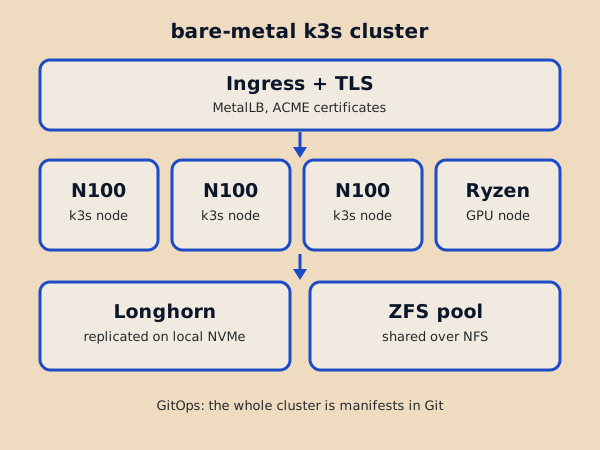
Kubernetes is a way to orchestrate workloads across more than one computer. The machines talk to each other and agree on where your containers run and how the environment around them has to be shaped to make that work. Bare metal just means it runs on my hardware instead of a cloud provider's.
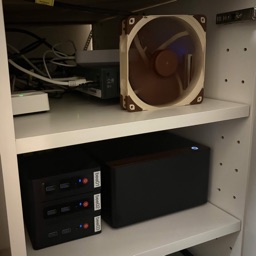
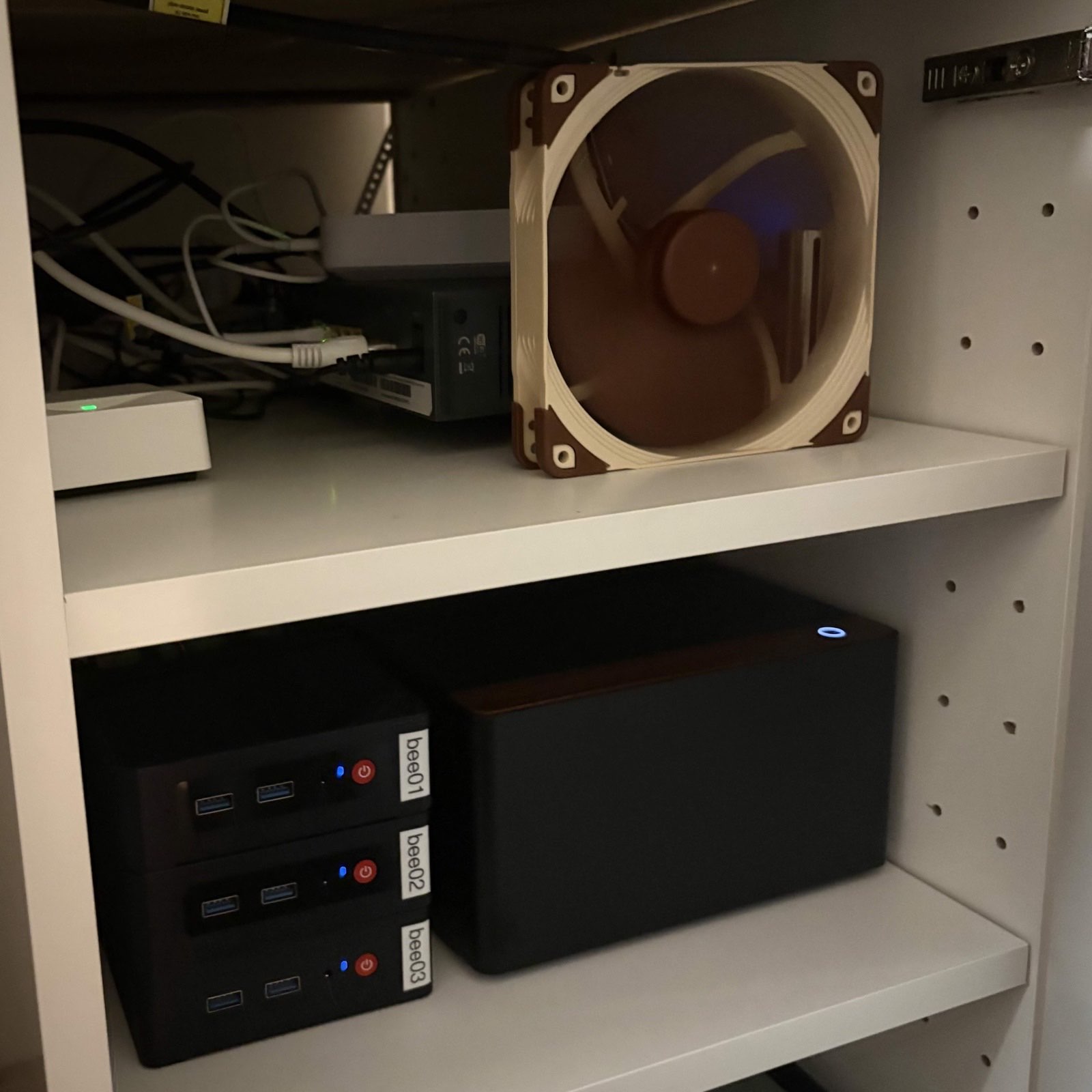
This site is served by a bare-metal k3s cluster in a cabinet in my flat: three identical mini PCs, a NAS, and a workstation that doubles as a living room gaming PC. Almost all of it is described by files in a Git repository, and everything above the operating system comes back out of those files.
I built it because I was curious about Kubernetes and did not have many opportunities to do so at work, so running my own was the way to learn it.
I built a gaming PC when I moved out and have been interested in computers since. With some money left over I put together a very cheap NAS out of used drives and one of the NAS-specific operating systems, mostly to see what it would do.
When I applied for my vocational training I asked what I should start learning, and the answer was the Linux command line and some Python. That is where I started, and the shell turned out to be genuinely interesting.
That became a run of NAS builds. The first was an Intel Q8200 with two drives and a cut towel in front of it to dampen the noise, which did not dampen much noise.
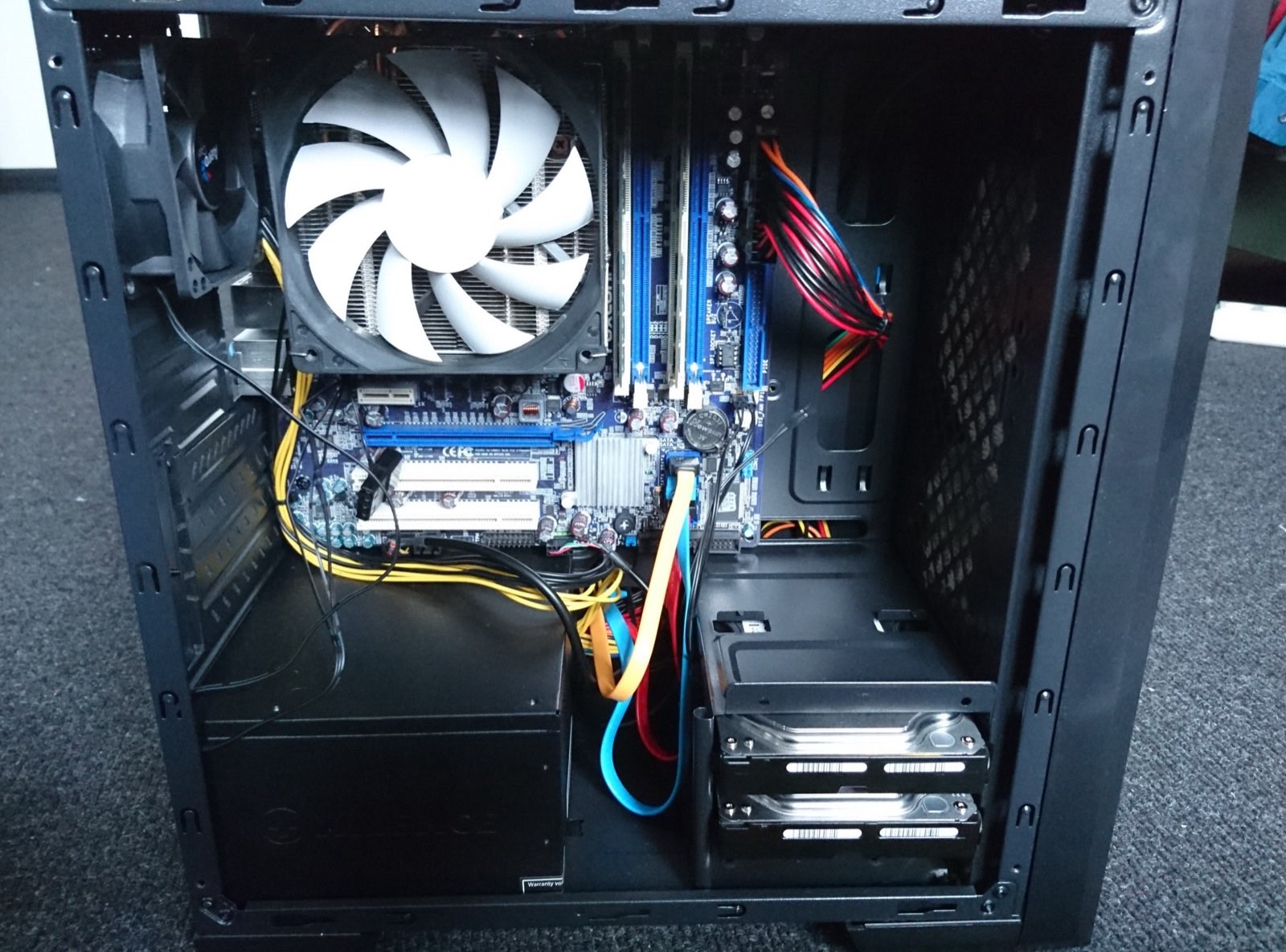
The next one ran Ubuntu with 3x3 TB spinning disks under ZFS, which was an enormous amount of storage for me at the time. I tried to set them up to farm a crpytocurrency called Chia, which was based on hashes on disk space, but ultimately I sent the drives back, as I did not need that much space.
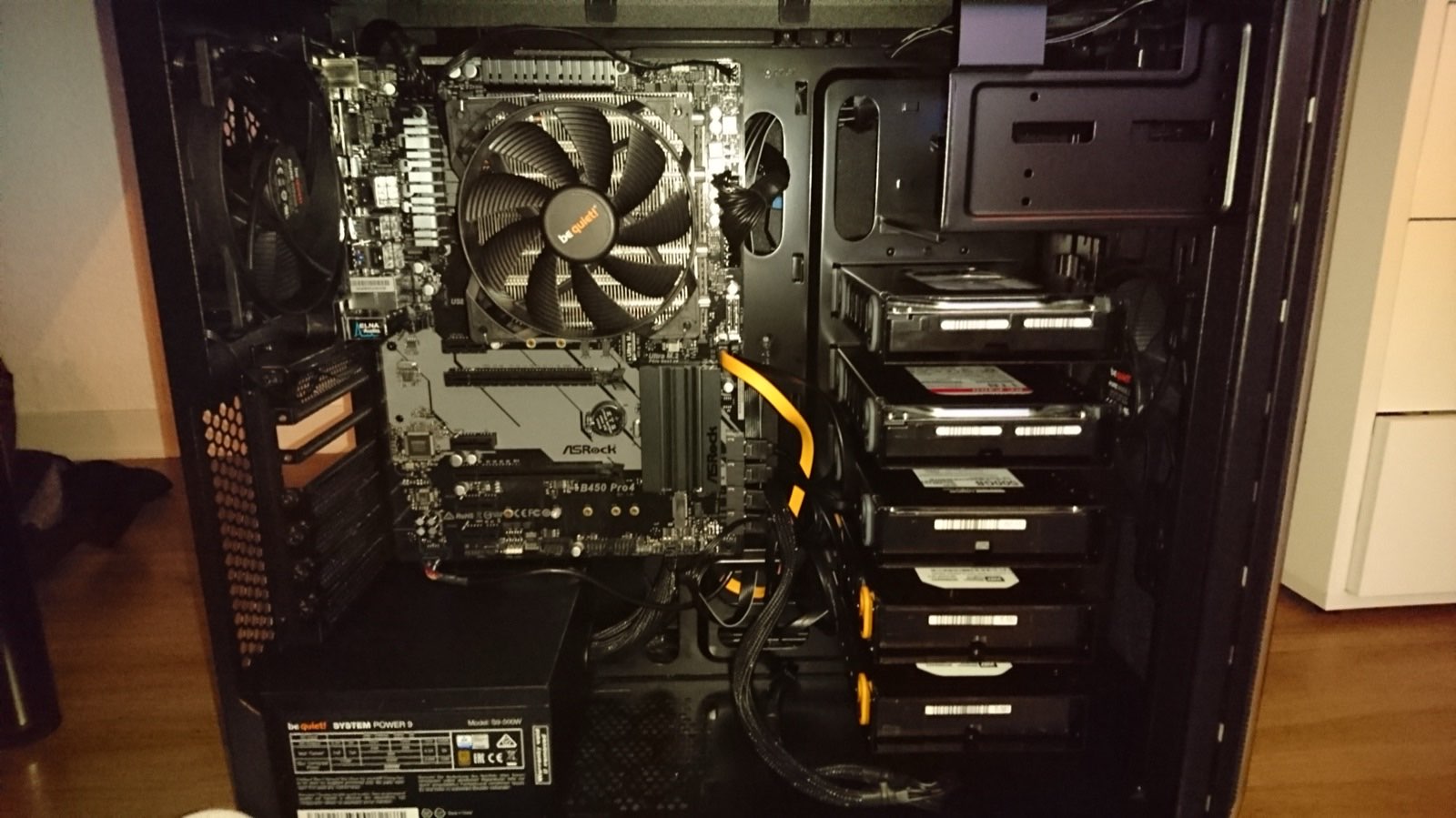
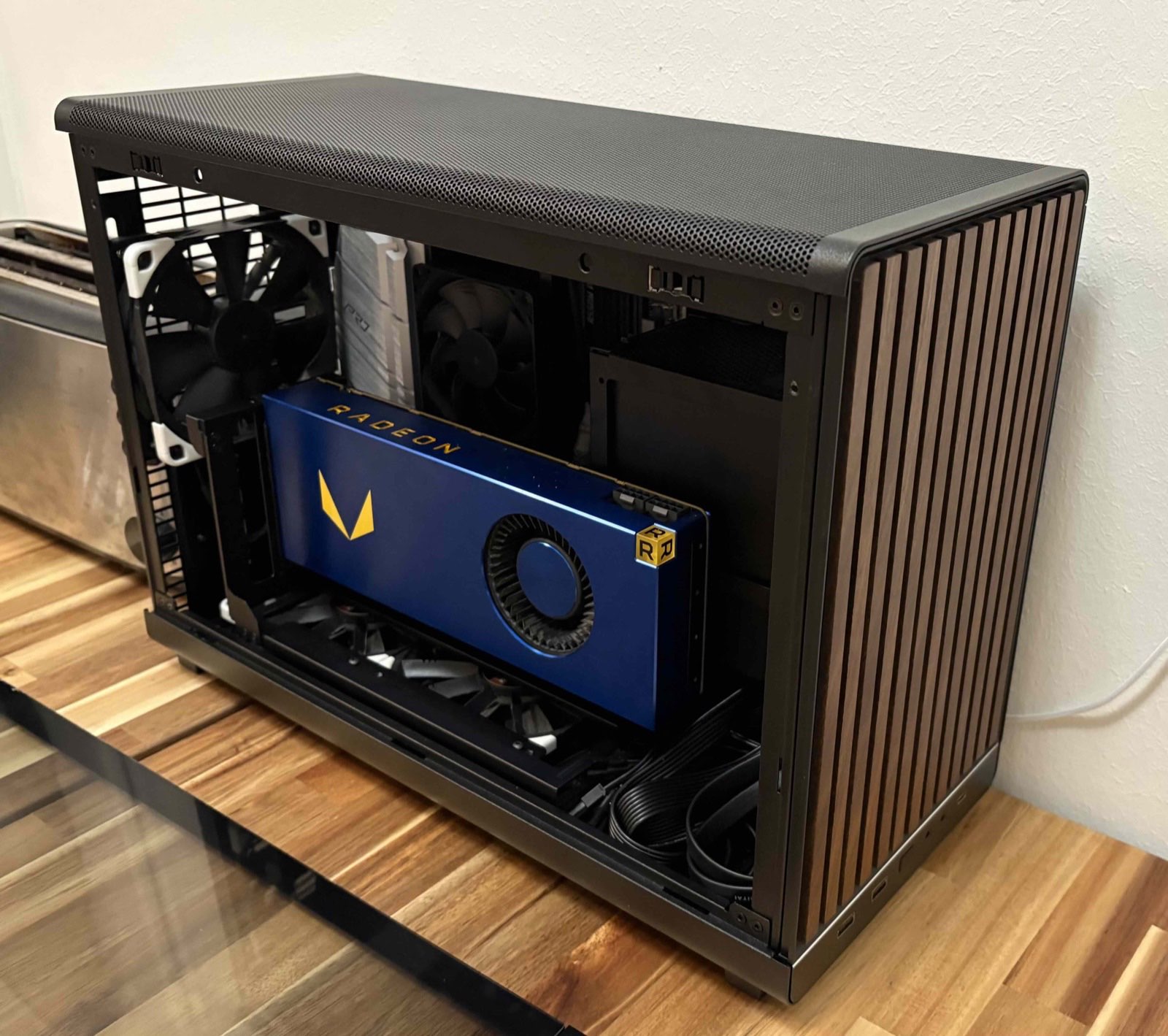
Then I built something else entirely: a homeserver around the limited edition Vega 64 Iron Edition, with Noctua Chromax fans, a Ryzen CPU, plenty of memory, and LEDs. It was as capable as the gaming PCs of some people, and it picked up the name Atlas, which has followed me since. It was also where I dabbled in cryptomining.
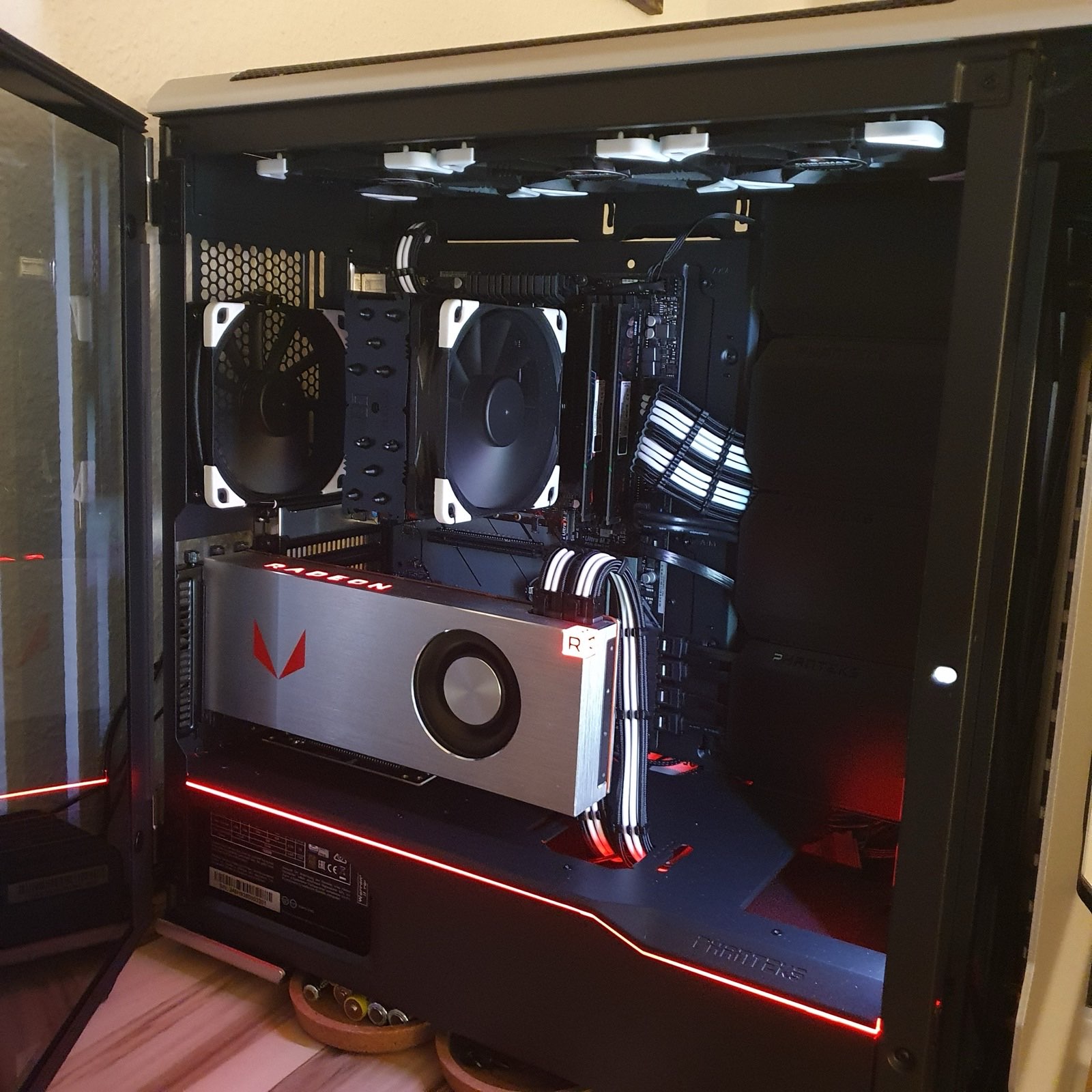
GPUs keep ending up in my machines: an RTX 2060, the Vega 64 Iron Edition, the Vega Frontier Edition, and now an RTX 3070. I mainly used them for deep learning experiments, some mining, Folding@home, and local LLM and image generation, but I never had the time to go deep into ROCm or CUDA.
What did bother me was the size and the noise, so at some point I got rid of it and went back to not having a homeserver and website at all.
The interest in Kubernetes came later. I took a step back and worked out what a homelab would have to be to actually fit how I live: small, silent, and cheap to run. Later dedicated storage need brought atlas back into the setup, this time on a low-power N100 based mainboard. Running only SSDs in it with 4TB usable space.
Silence is one of my main priorities. It is why the machines are small and quiet, and why my gaming PC is fully water cooled.
I started with an almost identical setup on Raspberry Pi's, but quickly noticed their limitations. Today three N100 mini PCs are the compute plane. Each one runs on a 4-core CPU and has 16 GB of memory, which is plenty for what I run on them.
As I need to run multiple nodes with a real cluster, the power draw adds up quickly. They draw very little power and make no noise, and this makes them ideal for a small, quiet homelab.
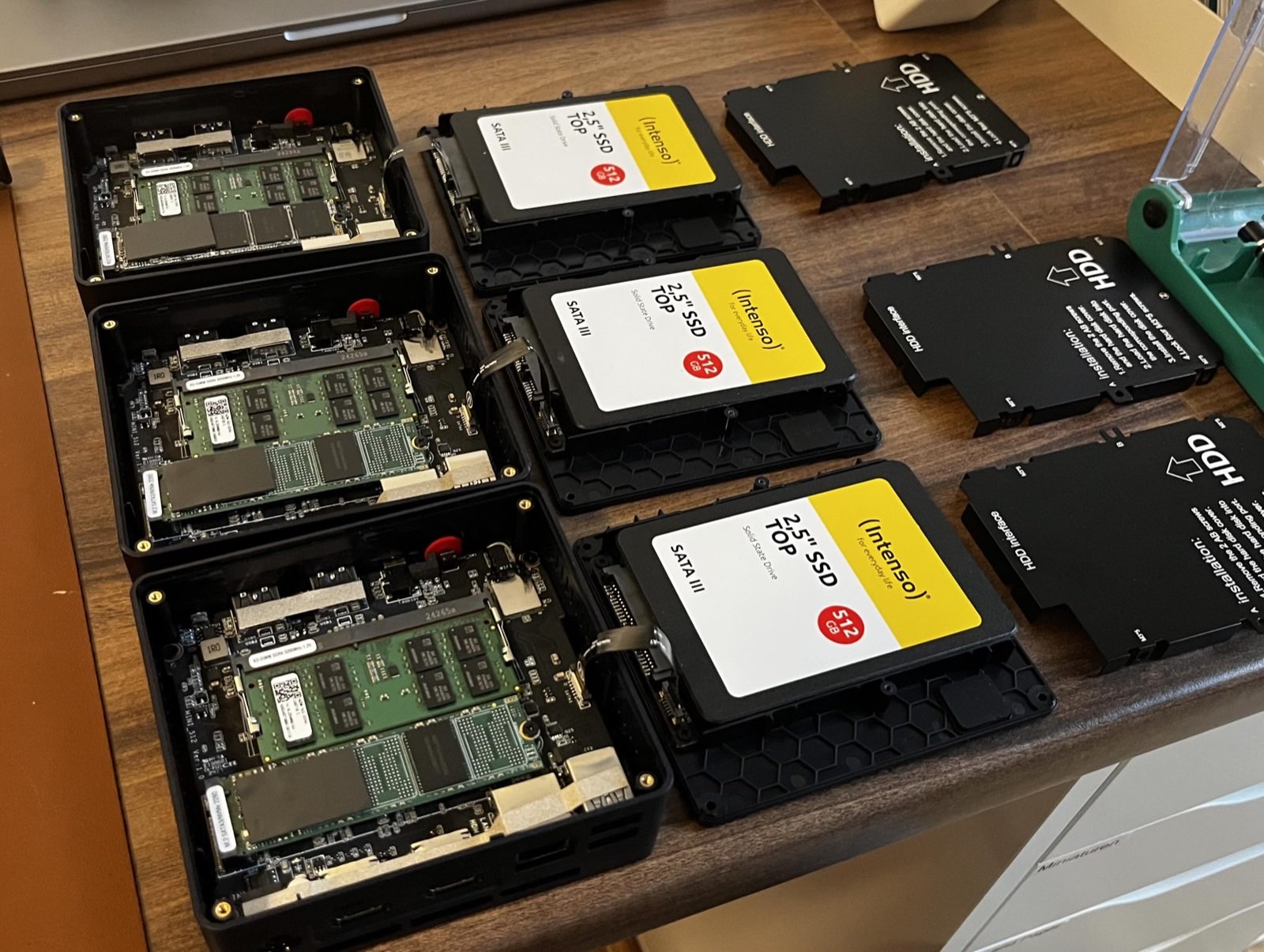
The fourth machine is storage: It's based on the Asrock N100DC-ITX, which is powered by a Laptop style power brick directly instead of needing a special form factor PSU to fit in this case. The case supports 4 SSDs, which is perfect for my 3x 2 TB SSDs running with ZFS and one OS Drive. It is not a Kubernetes node. It exports NFS to the network so the nodes can mount it.
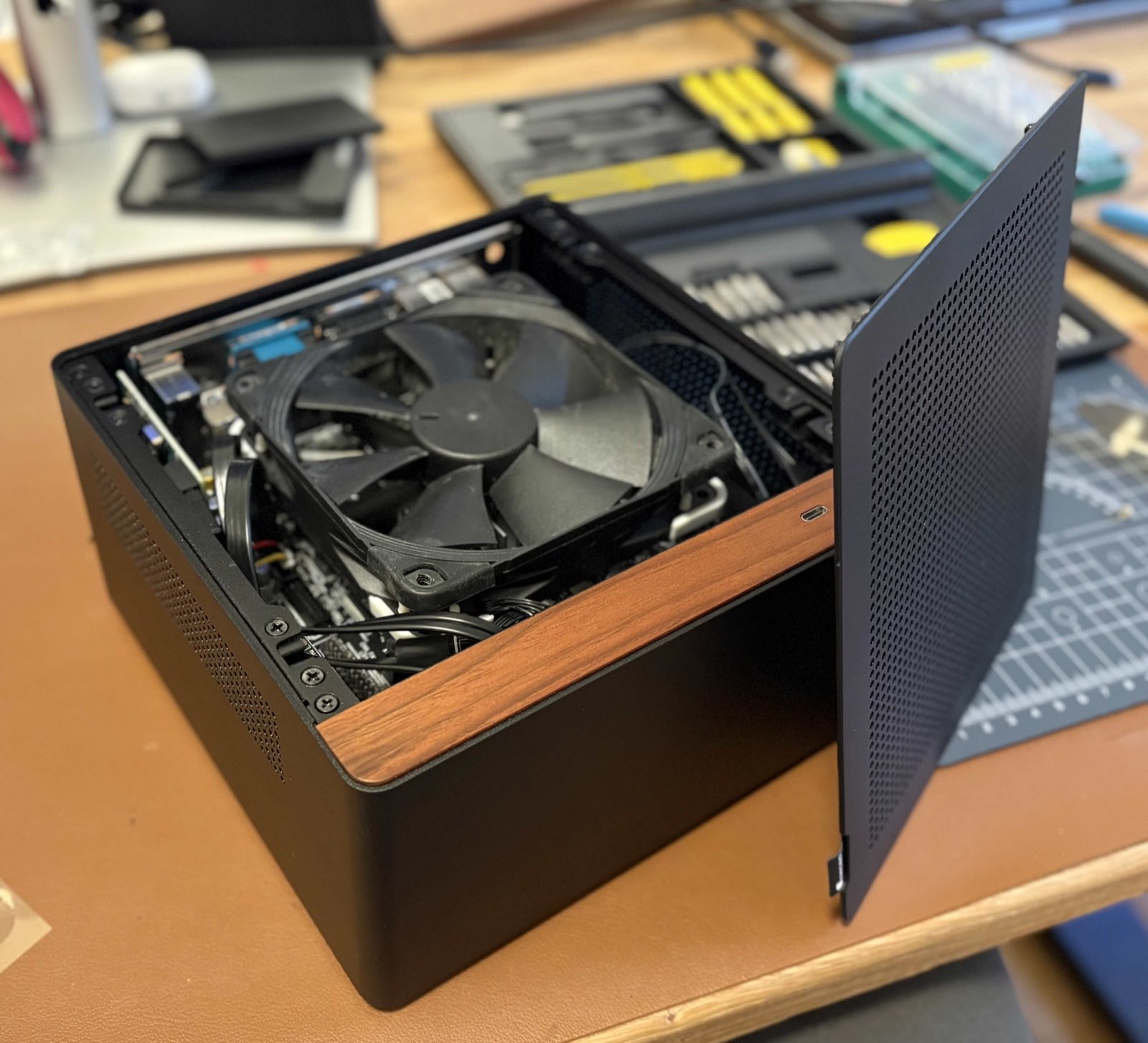
The last machine is the odd one out and the only one that is not a small N100. It is a Ryzen 5 5500 with an RTX 3070, and it dual boots: in the cluster it is the GPU node, and Bazzite on the same hardware is my living room gaming PC.
The 5500 is a single-die part, so it idles lower than the 5600 while still having six full performance cores. It is essentially a Ryzen APU with the graphics fused off. The Vega Frontier Edition it used to run has been retired and hangs framed on a wall, which Taming the Vega Frontier Edition covers.
There are two storage systems here because they solve different problems, and I stopped trying to make one of them do both. Longhorn runs on the NVMe drives inside the compute nodes and keeps replicas of every volume on different machines, so a volume survives one of them going away. Because the data never leaves local disks it is also the fast tier, and anything with real state lives on it.
The second tier is NFS on ZFS, exported from the storage host. It gives me read-write-many volumes, which Longhorn only manages by running a single NFS server inside the cluster for one volume at a time, plus snapshots and a real filesystem underneath. Static content and anything several Pods need to write at once live there.
The trade-off is that the NAS is one machine, so everything on that tier is down whenever the NAS is. Running ZFS and Longhorn Side by Side goes through the split and what it has cost so far.
The GPU node holds no Longhorn replicas at all, and that is on purpose. The machine leaves the cluster whenever I want to use it as a gaming PC, so I gave it no storage to keep and tag only the workloads that need the GPU onto it.
Those deployments scale down cleanly while it is away and come back when it returns. In a homelab the only person using those workloads is me, so I can get away with it.
The Minecraft server I run with friends is the clearest example. It prefers the Ryzen node and fails over to a mini PC whenever that machine is not in the cluster.
The cloud hands a Service of type LoadBalancer an address from the platform. On bare metal there is no platform, so MetalLB takes a pool of addresses on my own network and announces them for the Services that ask for one. The network itself is a Unifi gateway with a dedicated Ubiquiti access point, and the gateway gives the cluster its own subnet with plenty of free addresses in it.
HTTPS is the part that turned out not to be as easy as it sounds. On an ordinary Linux host I would run certbot and sync the result, but Caddy has to serve certificates for several sites from inside the cluster, so I looked into decoupling it from the sites themselves.
It runs as a Deployment rather than anything pinned to a host port, and it keeps its ACME state on a shared volume. Every restart or change used to be a chance to hit the certificate issuer's rate limits, and once that state was on a volume there was no reason not to run two replicas and get faster failover out of it.
My internet connection has a dynamic address, so the DNS records that point at it have to move with it. A small controller I wrote in Go handles that, and Dynamic DNS, Kubernetes-native is the whole story.
Argo CD watches my manifests repository and keeps the cluster matching it. At work I prefer Flux for its simplicity, but at home it's nice to have a UI to trigger a restart manually. The whole cluster definition is defined in one repository as an app-of-apps: one root Application points at a directory of Applications, and each of those owns one part of the system. Adding a tool means adding a file.
Rebuilding a machine is not as clean as that makes it sound. It starts with installing Ubuntu, copying SSH keys over, setting the hostname, and creating the user, and none of that is in Git. What is repeatable is everything above it: install k3s, join the machine to the cluster, and Argo CD goes on as a Helm chart, after which the root Application brings back the rest.
Every site is a static folder in a Git repository. nginx serves it, with a git-sync sidecar pulling the repository into a shared volume every thirty seconds, so a commit is live about half a minute later and nothing is rebuilt along the way. My Website Hosting Setup goes through how that arrangement got here.
Prometheus and Grafana cover node health, disk usage, temperatures, and whether the sites answer. InfluxDB and Telegraf keep the metrics I want around for longer than Prometheus should. Most of the time the dashboard is flat lines, and that is what I want to see.
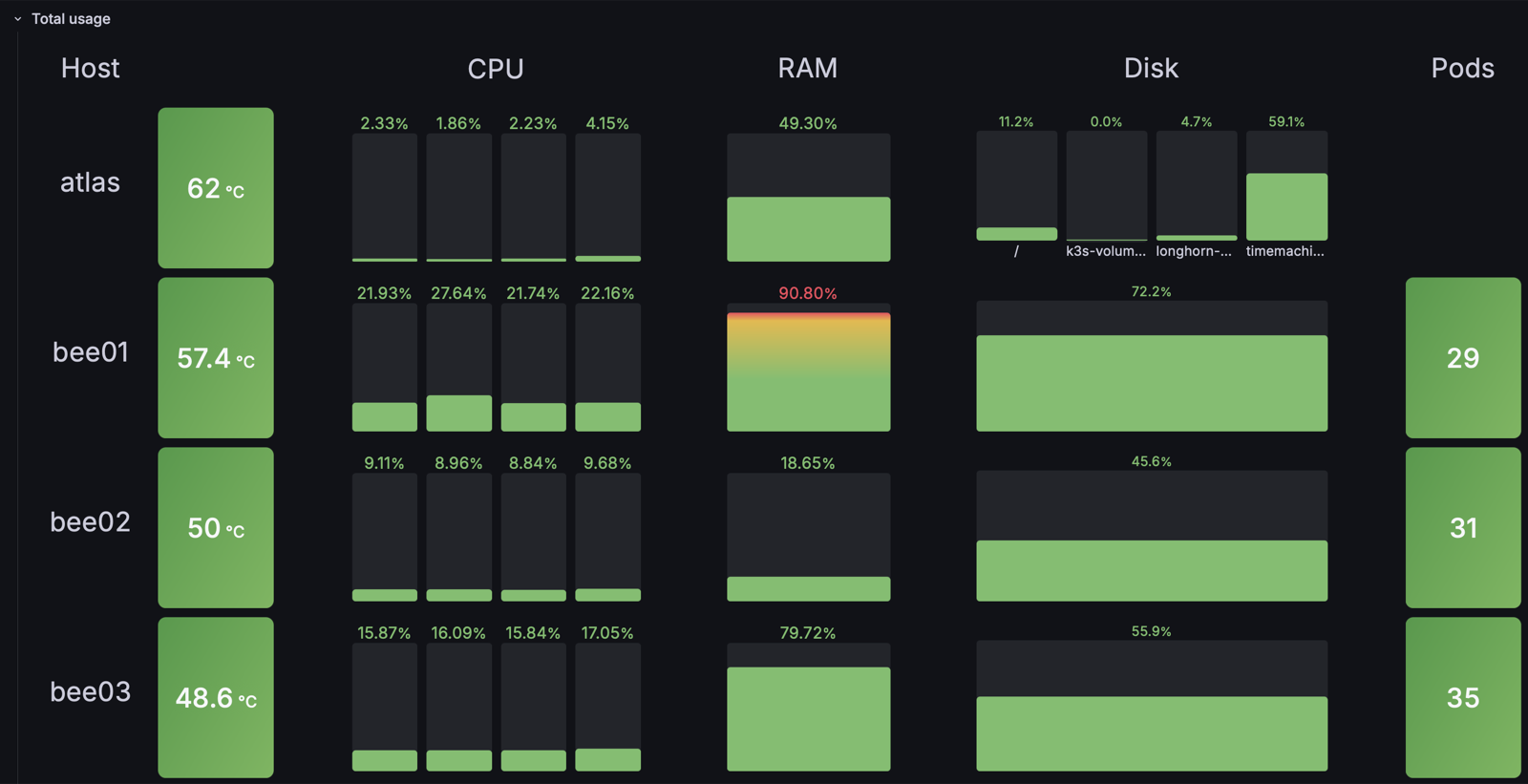
Once a power cut took all three compute nodes down at once, and none of them came back on their own. I found out while I was away from home via an e-mail. Fortunately restoring operations was as easy as walking over and pressing three power buttons.
What surprised me was the software. The nodes stopped at different moments and came back in an order I do not control, all at once or one at a time, and the cluster settled on the same state either way. Rebuilding one consistent view of a cluster out of three machines that were cut off mid-flight is the part I expected to be fragile. Nothing changed afterwards; they run in the cabinet the way they did before.
A 2 TB SSD in the storage pool failed as well, and it picked a bad moment. With SSD prices the way they are, a replacement costs more than twice what I paid for the drive, so the pool has been running one drive short since. Running ZFS and Longhorn Side by Side has the details.