Running ZFS and Longhorn Side by Side
Longhorn on the cluster nodes, ZFS on a NAS, and what decides between them
Longhorn on the cluster nodes, ZFS on a NAS, and what decides between them
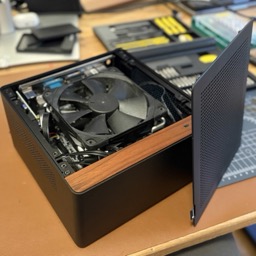
My cluster has two storage systems, and the split happened gradually rather than by design.
Longhorn came first, because storage that replicates itself across machines was too interesting not to try, and once the model clicked, managing volumes was fun.
The NAS came second. I wanted network backups for the MacBooks in the house, and somewhere to put the large experiments that never fit inside three small machines. It runs ZFS and hands its pool to the cluster over NFS, the network filesystem Unix machines have used to share directories for decades.
What pushed workloads across was this website. The git-sync and nginx containers that serve it both mount the same volume, and that pairing kept running into read-write-many bugs on Longhorn.
In practice: anything that wants speed or matters to me lives on Longhorn, and the Minecraft server is the clearest example. Anything less important lives on NFS. Anything genuinely large goes to NFS regardless of how fast it wants to be, because the pool is the only place with room.
The two systems also fail in different directions. Longhorn keeps its copies on the cluster nodes, so it goes down and comes back with them, and replication covers a single node going away. The NAS is one machine: it can be down while the cluster is perfectly healthy, and everything on the NFS tier goes down with it.
Longhorn gives a Kubernetes cluster block storage out of the disks that are already inside its nodes. It turns those disks into volumes that Pods claim like any other PersistentVolume, and it keeps a configurable number of replicas of each volume on different machines, so losing one node does not lose the data. The data lives on the nodes themselves, which is what ties the availability of the storage to the availability of the machines.
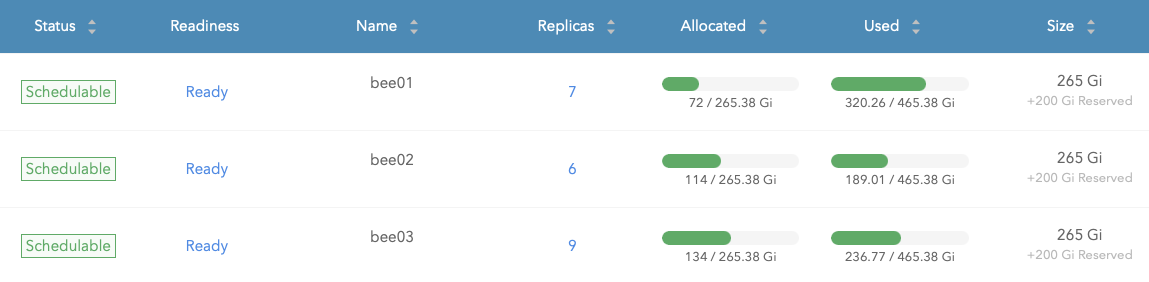
My volumes run two replicas, which on three nodes is enough to survive losing one of them. They are declared in the same GitOps manifests as everything else, so they are created alongside the application I am deploying. This comes with the fact, that deleting an application also deletes the pvc that belongs to it. To make sure I don't accidentally delete data I need the claims have an annotation telling Argo CD to not also trigger deletion inside Longhorn.
Longhorn also has a shared read-write mode, and it works differently from the rest. Rather than replicating a filesystem, it runs an NFS server inside a share-manager Pod for that one volume, so every writer goes through a single Pod. That is the mode those two containers need, which is why they run on NFS now.
ZFS is a filesystem and a volume manager in one. It does redundancy in software, so a group of ordinary disks can behave like one larger, fault-tolerant drive, and the documentation explains the model better than a paragraph here can.
The NAS itself is a small ITX build: an ASRock N100DC-ITX board in a Jonsbo N10 case, running off a laptop-style power brick instead of an ATX supply. The board has a single DIMM slot and one 8 GB module in it. ZFS will happily use far more memory than that once you turn on the nicer features, so that module is the first thing I would change about this build. It runs fine in the meantime.
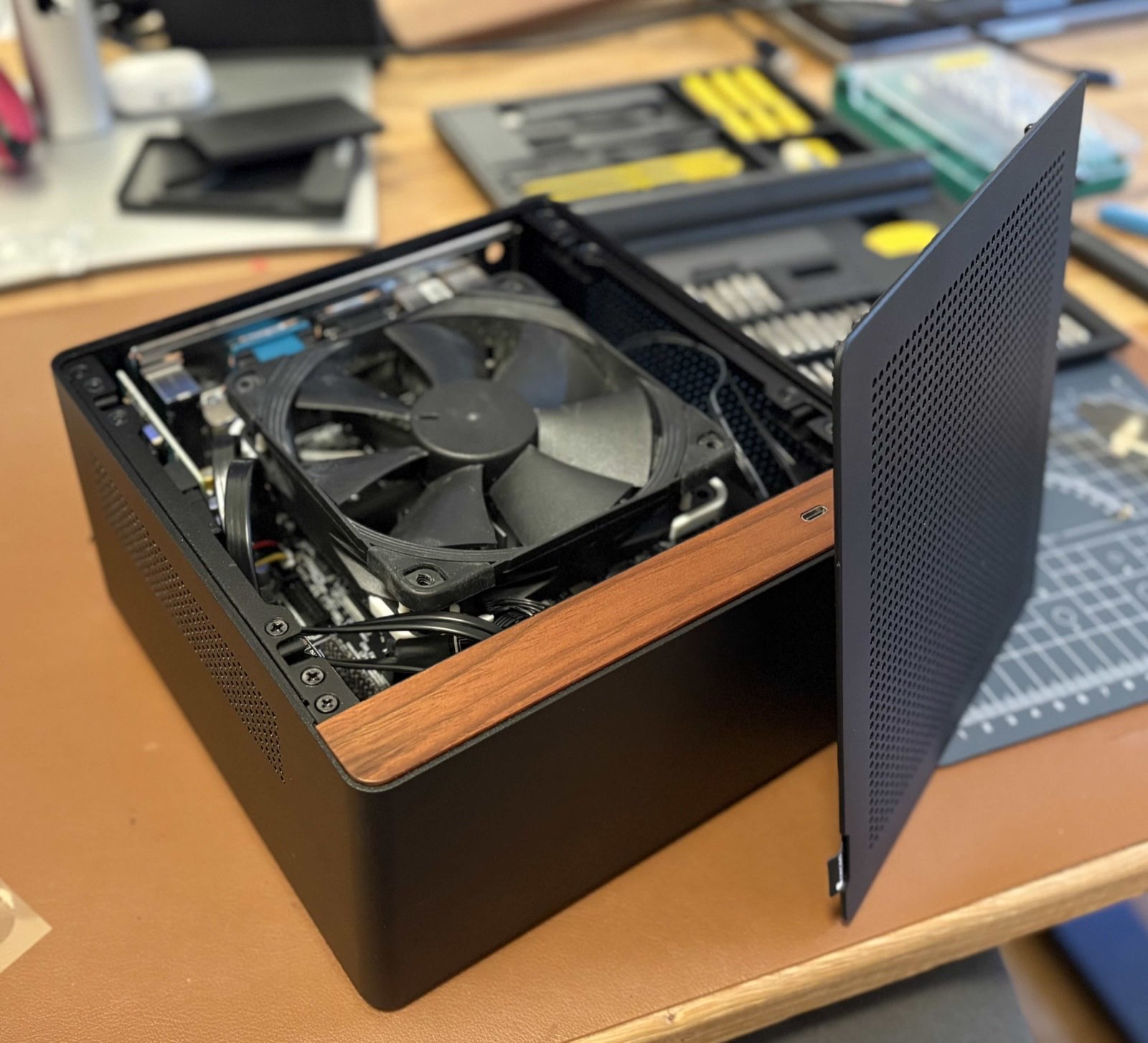
There are no spinning disks in it, and there are none anywhere else in the house either. Everything is SSD, which is what keeps the whole setup quiet enough to live in a cupboard.
The pool is three 2 TB SATA SSDs in a single raidz1 vdev, the single-parity layout and the ZFS equivalent of RAID 5. That is one drive of tolerance and about 4 TB usable.
On top of the pool sit three datasets: one for volumes the cluster mounts read-write-many, one for backups of the machines in the house, and one as the target for Longhorn volume backups.
I bought the three SSDs from three different brands on purpose, so that a bad batch could not take out the whole vdev in one go.
While routinely checking the NAS one day, I found the pool degraded. Everything above it kept working, which is exactly what ZFS is for: the array served reads and writes from the two healthy drives and needed nothing from me until I had time to deal with it.
This is what the pool says about itself:
$ zpool status
pool: nas-main
  state: DEGRADED
status: One or more devices has been taken offline by the administrator.
        Sufficient replicas exist for the pool to continue functioning in a
        degraded state.
config:
        NAME                                       STATE     READ WRITE CKSUM
        nas-main                                   DEGRADED     0     0     0
          raidz1-0                                 DEGRADED     0     0     0
            ata-INTENSO_SSD_1642501004004130       ONLINE       0     0     0
            ata-Sandisk_SSD_PLUS_2TB_25425A400700  ONLINE       0     0     0
            ata-Vi550_S3_SSD_493545318371714       OFFLINE      0     0     0
When I had that time, I pulled the drive out of the pool and out of the machine and opened a return with the vendor. They could not replace it, so they refunded what I had paid: 105€. A 2 TB SSD costs around 250€ currently, so the refund covered roughly half a drive, and the pool has been running on two of three ever since.
It will stay that way until SSD prices come back down. Running with one drive of tolerance is not what I would have chosen, but it is not an emergency either, and the alternative is paying current prices for capacity I have already paid for once.
This drive is in the what has broken list in the cluster post, next to the power cut that took all three nodes down at once.
Longhorn replicates a volume across nodes, which covers a node dying. It does not cover deleting the wrong thing, because the deletion replicates too. That is what volume backups are for.
Mine sync to the NAS as a backup target, which means the backup of the cluster's storage lives on the same machine the cluster depends on. That is one failure domain with extra steps, and I have decided I am fine with it.
There are no offsite backups. Almost everything I run is stateless and rebuilds from Git, so what is genuinely at risk is the Minecraft world and the MacBook backups. Losing the world would hurt, but paying for offsite storage I would probably never need is the worse trade for a private cluster. For the MacBooks and the NAS to go at the same moment I would have to be unlucky twice, and I will take those odds.